Skip to content

Keyboard shortcuts

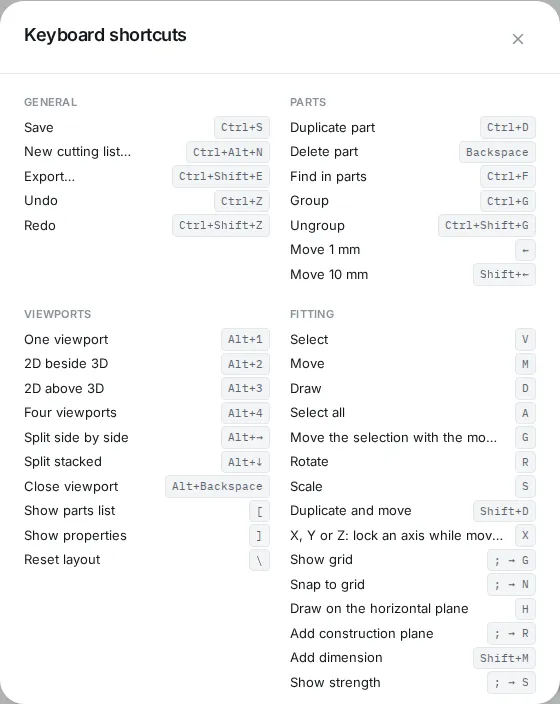
The Keyboard shortcuts dialog from the Help menu

Open this list in the app with Help > Keyboard shortcuts…. On a Mac, Ctrl becomes and Alt becomes (Option).

  • Press M for the Move tool, then drag the selection.
  • Press G to pick up the selection with the mouse right away. Click to put it down.
  • While moving, press X, Y or Z to lock an axis, and type a number for an exact distance in mm.
  • Hold Alt ( on a Mac) while you drag to leave a copy behind.
  • A shortcut with an arrow, such as ; → G, means: press ;, then G.

General

ActionWindows and LinuxMac
SaveCtrl+S⌘S
New cutting listCtrl+Alt+N⌥⌘N
ExportCtrl+Shift+E⇧⌘E
UndoCtrl+Z⌘Z
RedoCtrl+Shift+Z⇧⌘Z

Parts

ActionWindows and LinuxMac
Duplicate partCtrl+D⌘D
Delete partBackspace
Find in partsCtrl+F⌘F
GroupCtrl+G⌘G
UngroupCtrl+Shift+G⇧⌘G
Move 1 mm
Move 10 mmShift+←⇧←

Viewports

ActionWindows and LinuxMac
One viewportAlt+1⌥1
2D beside 3DAlt+2⌥2
2D above 3DAlt+3⌥3
Four viewportsAlt+4⌥4
Split side by sideAlt+→⌥→
Split stackedAlt+↓⌥↓
Close viewportAlt+Backspace⌥⌫
Show parts list[[
Show properties]]
Reset layout\\

Fitting

ActionWindows and LinuxMac
SelectVV
MoveMM
DrawDD
Select allAA
Move the selection with the mouseGG
RotateRR
ScaleSS
Duplicate and moveShift+D⇧D
X, Y or Z: lock an axis while movingXX
Show grid; → G; → G
Snap to grid; → N; → N
Draw on the horizontal planeHH
Add construction plane; → R; → R
Add dimensionShift+M⇧M
Show strength; → S; → S

Viewpoint

ActionWindows and LinuxMac
Front11
BackAlt+1⌥1
Right33
LeftAlt+3⌥3
Top77
BottomAlt+7⌥7
Free00
Perspective55
Zoom to selection..
Zoom to everythingShift+.⇧.